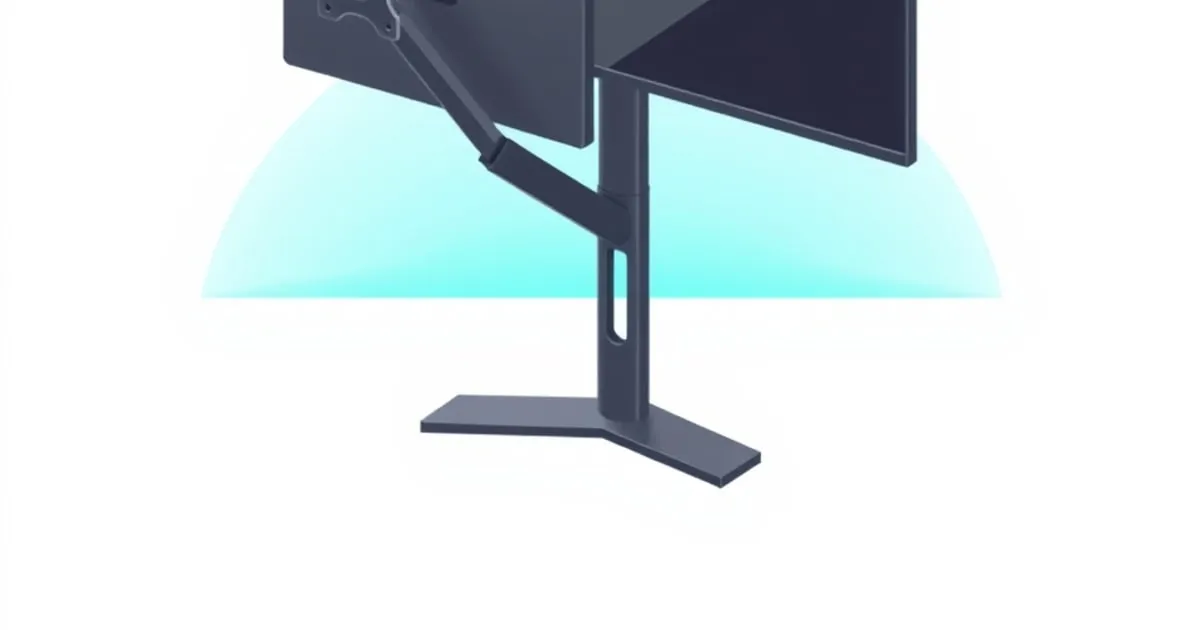
Monitor Arm vs Monitor Stand: Which Does Your Setup Need?
Monitor arm or monitor stand? We rank by ergonomic value, desk space recovery, sit-stand compatibility, and price.
Most monitors ship with a stand. Most home office ergonomics guides say to replace that stand with a monitor arm. Most readers then ask: do I actually need an arm, or is a better stand good enough?
The honest answer is that an arm wins for ~80% of remote workers, but there are real cases where a stand is the right call. Here’s how to decide, with the spec-based ranking we apply across the ErgoRanker network.
TL;DR: Arm vs Stand
| Criterion | Monitor Arm | Monitor Stand |
|---|---|---|
| Ergonomic adjustability | ★★★★★ | ★★ |
| Desk space recovery | ★★★★★ | ★★ |
| Sit-stand compatibility | ★★★★★ | ★ |
| Price | ★★★ (~$170) | ★★★★★ (~$50) |
| Install effort | ★★★ (clamp or grommet) | ★★★★★ (drop in place) |
| Aesthetic | ★★★★ | ★★★ |
| Renter-friendly | ★★★ (no-drill options exist) | ★★★★★ |
Monitor arm wins on every ergonomic axis. Monitor stand wins on price and ease of install. For 80% of users, arm is the right pick.
When a Monitor Arm Is the Right Pick
Buy a monitor arm if:
- You have a sit-stand desk (height adjustment matters)
- You’re 5’10” or taller (most stock stands sit too low for your eye level)
- You’re under 5’5” (most stock stands sit too high)
- You want to reclaim 8–12 inches of desktop space behind the monitor
- You use a 27”+ display (stock stands look proportionally awkward)
- You want adjustable tilt or rotation (portrait mode, etc.)
For all of these cases, an arm pays back its $170 cost within months of daily use.
Buy: For most users, Ergotron LX ↗ (Amazon Associates) — the default. See MonitorArmGuide’s full buyer’s guide ↗ for the deep version.
When a Monitor Stand Is the Right Pick
Stick with a stand if:
- The monitor’s stock stand already puts the screen at the right eye level for you
- You’re a renter with a desk you can’t drill into and no-drill arm options don’t fit your setup
- You’re outfitting a fixed-height desk where eye level is already correct
- Budget is genuinely sub-$100 and other purchases come first
- Your monitor is over 30 lbs and you don’t want to invest in a heavy-duty arm
For these users, the upgrade target is a monitor riser stand — an aluminum or wood stand 4–7 inches tall that lifts the monitor to eye level and creates space for a keyboard underneath.
Buy: SAMDi Wood Monitor Riser ↗ (Amazon Associates) or Satechi Aluminum Riser ↗ (Amazon Associates).
The Eye-Level Test
Regardless of arm or stand, the ergonomic prescription for monitor height is the same: top of the screen at or slightly below eye level when seated upright with shoulders relaxed.
For a 27” monitor (~16” tall in landscape), the screen top should be ~52” from the floor for a 5’10” user. That puts the screen bottom around 36” — typically 6–8 inches above your desktop.
Test: sit at your desk normally. Look straight ahead with your head level. Are you looking at the top quarter of the screen? If yes, monitor is too low. If you’re looking at the bottom quarter, it’s too high.
Most stock monitor stands put the screen 4–6 inches too low for the average user. This is why an arm or a riser is necessary for ergonomics — not because manufacturers don’t know better, but because their stand designs target a generic “average” height that doesn’t match individual eye levels.
Sit-Stand Compatibility
If you have a sit-stand desk ↗, this is where arms pull dramatically ahead of stands.
When you raise the desk to standing height, the monitor also rises by the same amount. But your eye level when standing is not 12 inches higher than when sitting — it’s typically only 4–6 inches higher. So a monitor at the correct height for sitting is suddenly too high for standing.
Fix: adjust the arm to drop the monitor 4–6 inches when you stand. Takes 3 seconds with a properly-tensioned monitor arm.
With a stand, you can’t adjust monitor height independently of desk height. You can either accept the wrong height when standing, or get a different monitor stand. An arm is the only practical fix.
Desk Space Recovery
A monitor stand’s footprint is the same as the stand’s base — typically 8 inches × 10 inches of consumed desktop. An arm’s footprint is the clamp or grommet attachment, which is essentially zero usable desktop area lost (the clamp sits behind the desktop).
For users with shallow desks (24” or less), this 8” × 10” recovery is meaningful — you can push the monitor back further, gain typing space, place additional items behind the keyboard.
When Stands Beat Arms
Three specific cases:
1. Heavy displays (over 30 lbs)
Heavy ultrawides and 49” super-ultrawides over 30 lbs require heavy-duty arms ($350+) like the Ergotron HX or Humanscale M8.1. At this monitor weight, a high-quality stand that comes with the monitor is often perfectly adequate, and the upgrade cost to a comparable arm isn’t worth it.
2. Renter / lease desk constraints
Some apartment desks or shared workspaces don’t allow drilling, and clamp-style arms don’t fit (no rear-edge access, wrong desktop thickness). In these cases, a no-drill clamp arm exists (Mount-It! clamp-on ↗ — Amazon Associates) but if it doesn’t fit your specific desk, a stand is the only option.
3. Aesthetic preference
Some users prefer the visual of a monitor sitting on a wood riser to one floating on an arm. This is taste, not ergonomics — both can give you correct eye level if specced right.
Hybrid: Monitor on a Vertical Stack with a Riser
For some users (notebook+monitor setups), the best layout is:
- Laptop on a Roost stand ↗ (Amazon Associates) raised to eye level
- External monitor next to it, also at eye level
This means either:
- Both on arms (most flexible)
- Laptop on a stand + external monitor on an arm
- Both on risers
A laptop with a properly-positioned stand is essentially a “monitor on a stand” for the laptop screen. If the external monitor is also matched to that height with a riser, you have a workable dual-display setup with no arms required. Saves $200+ and works fine for some setups.
What About the Apple Studio Display Stand?
A note for Apple users: the Apple Studio Display ships with a non-adjustable stand. There’s a “VESA Mount Adapter” option ($79 at order time only — can’t be added later) that lets you mount it on a monitor arm.
If you’re buying a Studio Display, order the VESA option. Even if you don’t immediately move to an arm, the optionality is worth $79.
Cross-Network Reading
This question intersects with several of our sister sites’ coverage areas:
- For the actual monitor arm decision: MonitorArmGuide ↗
- For matching this to your standing desk: StandDeskReview ↗
- For building out the full home office: HomeDeskGuide ↗
Related Reading on ErgoRanker
- Best ergonomic chairs under $1,000
- Best standing desks under $1,000
- Desk and chair bundle recommendations
Final Word
For most remote workers — 80% by our reckoning — a monitor arm is the right purchase. It pays for itself in desk space recovery, sit-stand compatibility, and ergonomic flexibility within a few months of daily use. Stands win for renters who can’t drill, heavy ultrawide users, or aesthetic-driven setups, and a good stand is genuinely better than a bad arm — but at the median home office, the LX-tier monitor arm beats every comparably-priced stand.
Related

Wrist and Forearm Support Options Compared: Rests, Trays, and Angles
Wrist rests, forearm supports, keyboard trays, and tilt adjustments ranked by what they actually fix. The honest answer is that most wrist pain is a

Footrests and Anti-Fatigue Mats Ranked: The Floor-Level Ergonomics
The under-desk gear nobody photographs but everybody feels by hour six. Footrests and anti-fatigue mats ranked by who needs them, the specs that matter

Ergonomic Chair Categories Compared: Task, Executive, Saddle, Kneeling
Mesh task, executive, saddle stool, and kneeling chairs ranked by who they actually fit. The honest answer for most desk workers is a mesh task chair —