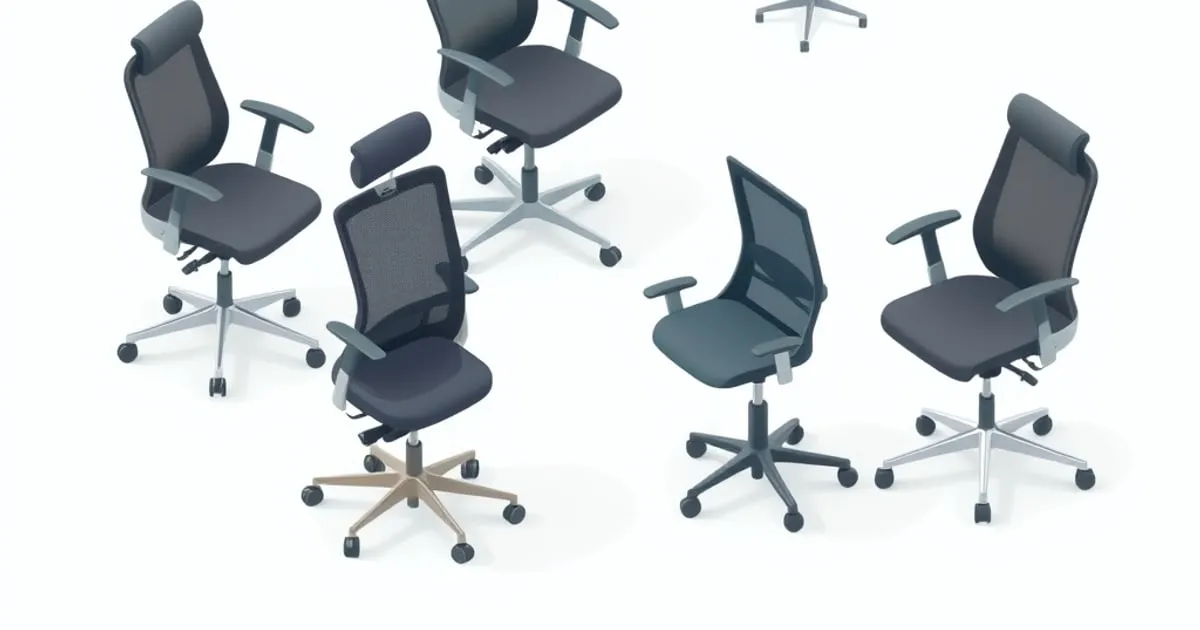
The best ergonomic chairs under $1,000 are the ones whose adjustments fit your body and whose actual order total fits your budget. This shortlist compares a refurbished Aeron, a new Steelcase Series 1 and the current Autonomous ErgoChair Pro. The order is an editorial buying preference based on published specifications and coverage, not a measured comfort score.
Each pick is conditional on its configuration, seller and checkout price. Refurbished stock and promotions move; an Aeron above the ceiling does not become an under-$1,000 chair because a previous listing was cheaper. Start with the ergonomic setup calculator for an estimated seat target, then confirm it with feet supported and your back against the chair.
Compare the fit before the price
CCOHS’s chair-selection guidance emphasizes fitting the chair to the user and task. Adjustable height alone is insufficient: seat depth, back support and access to the work surface also matter. The practical question is whether the chair supports your usual position without forcing you away from the keyboard. Before choosing a back-support option, compare lumbar support mechanisms and the controls each offers.
| Candidate | Seat-fit approach | Published user capacity | Warranty decision | Best reason to shortlist |
|---|---|---|---|---|
| Refurbished Aeron Size B | Fixed depth; select size and cylinder | 350 lb on cited refurbished model | Factory refurbished: 5 years; other sellers set their own terms | You specifically want a suspension seat |
| Steelcase Series 1 | Sliding seat and height adjustment | 400 lb work chair | Limited lifetime policy with component-specific terms | New chair with documented adjustment controls |
| Autonomous ErgoChair Pro | Sliding seat, adjustable height and back controls | 300 lb | Current policy depends on component and purchase date | Compare a new alternative with a higher seat range |
These capacities are limits, not sizing recommendations. Two users of the same weight can need different seat depths. Likewise, a wide outer frame does not mean an equally wide usable seat; use the correct dimension when planning room clearance or personal fit.
1. Refurbished Aeron Size B: conditional suspension-seat pick
A refurbished Aeron is worth comparing when the specific model, condition, controls and seller warranty are clearly described. The manufacturer’s refurbished listing carries a five-year refurbished warranty. That does not establish coverage for an unrelated reseller’s chair, and it is different from the warranty attached to a new Aeron.
The current Aeron specification sheet is useful for identifying the Remastered chair’s dimensions. It is not a guarantee that an older Classic chair advertised as “Aeron Size B” has the same cylinder, mesh or lumbar system. Ask the seller to identify the version rather than combining features from several generations.
| Size B specification | What to compare |
|---|---|
| Seat depth | 17 inches, fixed |
| Overall width | 28.3 inches on current specification sheet |
| Seat height | Cylinder-dependent; verify the range on the specific refurbished unit |
| User capacity | 350 lb on the cited refurbished listing |
| Back-support options | Verify PostureFit SL or the actual lumbar option supplied |
| Warranty | 5 years for the cited factory-refurbished product; seller terms otherwise |
The fixed depth is the decisive trade-off. If the front edge presses behind your knees while your back contacts the backrest, a different size or a sliding-seat chair deserves priority. Paying for a premium lumbar option does not shorten the seat. For the full spec breakdown, see how the Aeron’s fixed sizes compare with the Leap’s sliding seat.
Before buying, request photographs of the actual chair or a written refurbishment standard. Clarify which parts were replaced, whether the tilt controls work through their intended travel, and whether cosmetic wear is permitted. A stock photograph of a fully equipped Aeron does not establish the options on the delivered unit.
Keep return cost in the comparison. The attraction of a lower purchase price weakens if a poor fit leaves you paying substantial return freight. Choose this pick only when its fixed geometry is promising and the seller provides a workable route to return an unsuitable chair.
2. Steelcase Series 1: first new-chair comparison
The Series 1 product page documents adjustable seat height and depth, lumbar support and a weight-responsive recline mechanism. Check the exact arm and back configuration on the order. A model-family feature list and a particular seller’s configuration are not necessarily identical.
The Series 1 specification guide lists five inches of standard pneumatic seat-height adjustment and 2.25 inches of seat-depth travel. Those are more useful comparison points than an unsupported claim that it fits everyone within a certain stature band.
| Series 1 work-chair specification | Published detail |
|---|---|
| Standard seat-height range | 16.5–21.5 inches |
| Seat-depth adjustment | 2.25 inches of travel |
| User capacity | 400 lb for the work chair |
| Arm controls | Height, width, depth and pivot on fully adjustable version |
| Back controls | Lumbar adjustment and weight-responsive recline |
| Warranty | Limited lifetime policy; covered mechanisms have defined terms |
Series 1 is the new-chair option to price first if an adjustable depth and clearly documented controls are your priorities. The benefit is that you can compare a current order with current documentation, without sorting through an unknown refurbishment history.
A specification advantage is not a promise of all-day comfort. The recline response, pad shape and surface feel still need a return-window assessment. Confirm the arms can move low enough to approach your desk without lifting your shoulders or preventing the chair from moving forward.
Read the Steelcase warranty by component. “Limited lifetime” does not mean every material and moving part is covered forever. The cited policy is non-transferable and applies to the original end-use customer buying through an eligible channel; do not carry it over to a used-chair advertisement.
3. Autonomous ErgoChair Pro: compare the higher seat range
The current ErgoChair Pro specification page provides dimensions and a 300-pound capacity. Check the exact model name on the order; similar names do not justify treating their specifications or warranties as interchangeable.
| ErgoChair Pro specification | Published detail |
|---|---|
| Overall footprint | 29 × 29 inches |
| Seat dimensions | 19 × 19 inches as listed |
| Listed seat-depth range | 19–21.5 inches |
| Seat-height range | 18.5–22 inches |
| Capacity | 300 lb |
| Coverage check | Product page says lifetime; policy separates parts and purchase dates |
The relatively high minimum seat setting is the first filter. If your feet need a lower chair, include the cost and space of a footrest or eliminate the model. Do not assume its adjustable lumbar support compensates for a seat-height mismatch.
Autonomous labels both seat dimensions and seat depth in its table. Ask which dimension represents usable sitting depth if that distinction determines your purchase. A difference between the molded cushion dimension and the effective distance from the backrest can matter more than the product name.
The warranty policy is especially relevant because older purchases and different chair models have different terms. Save the policy that applies to your order and ask about upholstery, moving parts and return handling separately. A large lifetime badge is not a substitute for those details.
A measurement worksheet for all three picks
Write down the measurements below before comparing configurations. Treat this as a buying worksheet, not a diagnostic assessment. If an existing chair already fits one dimension well, use that measurement as a reference while identifying the adjustment you actually need to improve.
| Measurement | How it helps the purchase |
|---|---|
| Comfortable seat height with supported feet | Compare with the offered cylinder range |
| Space behind the knees when fully back | Decide whether fixed depth is plausible |
| Overall chair width | Check passage under the desk and through the room |
| Arm height in a relaxed position | Check desk approach and keyboard access |
| Available recline space | Ensure the room supports the chair’s movement |
| Required load capacity | Reject models below the published limit |
Do not add a seat-height figure to a desk-height figure and call them compatible. Your seated elbow height is the connection between the two. A chair may have enough downward travel but still need a lower keyboard surface when paired with a fixed-height desk.
For finer adjustment after delivery, follow chair lumbar adjustment. For the shopping decision when discomfort drives the purchase, use office chairs for back pain. The first guide helps set a mechanism; the second compares which mechanisms to buy.
New versus refurbished under the same ceiling
Compare the complete risk and cost, not just the number beside the buy button. A new Series 1 with known coverage can be a better purchase than an unspecified refurbished Aeron with an attractive photograph. A well-described refurbished chair may instead suit someone who already knows the Aeron size and controls they want.
Ask each seller the same questions: which exact version ships, which cylinder and arms are included, what condition standard applies, who handles a failed part, and what returning the chair costs. Record the answers before placing the order so the comparison remains consistent.
Keep optional headrests and cosmetic upgrades outside the initial shortlist. If the base chair misses seat depth or height, an accessory rarely changes that geometry. Apply the budget to the chair that fits first, then price accessories only for a specific task.
A used chair’s original manufacturer warranty should never be assumed to transfer. The seller may offer separate coverage, or the manufacturer may sell its own refurbished program with different terms. Those are distinct arrangements and should be labeled that way on your comparison sheet.
What to check during the return window
Adjust one variable at a time using the chair’s instructions. Begin with seat height and depth, then back support, arm placement and recline. Record the settings that work so another adjustment does not erase a useful starting point.
Use ordinary work tasks to judge access to the keyboard and freedom to change position. Check whether the chair rolls under the desk, whether the arm pads collide with its edge, and whether the backrest remains reachable without pressure behind the knees. These are observations the buyer can make; this ranking does not claim to have performed them.
Do not interpret persistent or worsening pain as proof that you need a more expensive model. Furniture specifications cannot identify its cause. Stop an adjustment that worsens symptoms and seek appropriate clinical advice when needed.
Which chair should you choose?
Shortlist the refurbished Aeron when its fixed size and suspension seat are intentional choices and its seller terms are clear. Compare Series 1 first for a new chair with documented seat travel. Consider ErgoChair Pro only after checking its higher seat minimum and the applicable component warranty.
If the purchase includes a desk, compare standing desks under $1,000 and the desk-and-chair pairings. Keep the combined budget grounded in measured fit, current quotations and written coverage rather than an assumed product lifespan.


