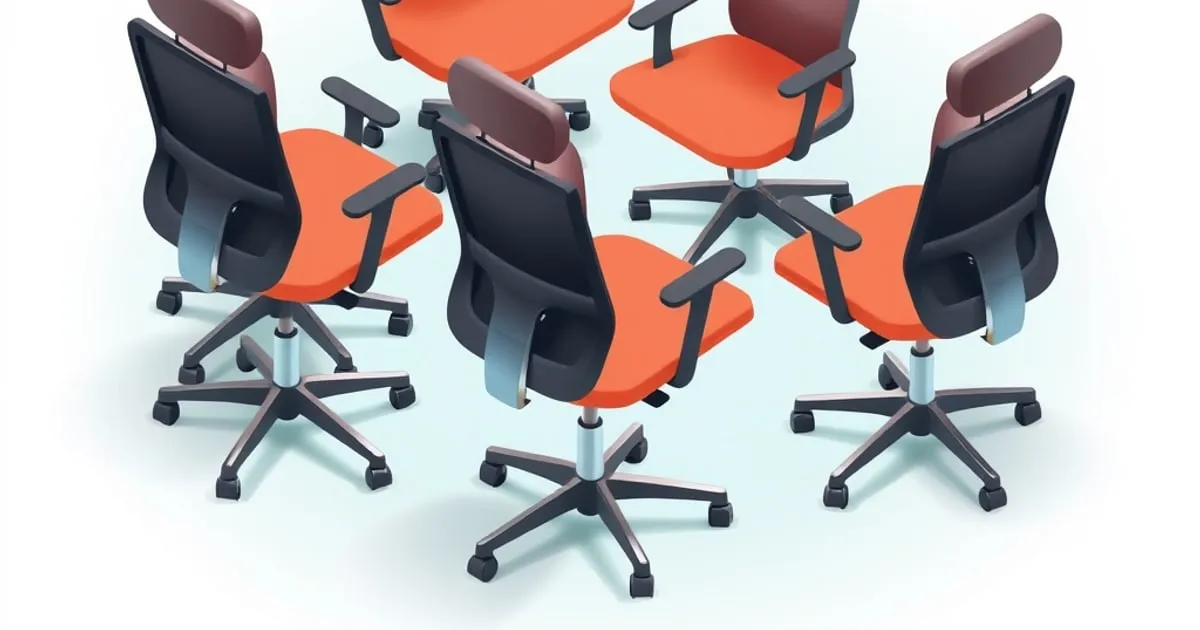
“Back support” is the most abused phrase in office furniture listings. Almost every chair claims it, including chairs whose entire back-support system is a bulge moulded into a fixed plastic shell. The spec that decides whether a chair actually supports your back is narrower than the marketing: it is the lumbar system, and it comes in five distinct mechanical types with very different outcomes.
This guide covers how those types differ, how to work out where the support belongs on your back, and what to do when the chair you already own has the support in the wrong place. If you want a shortlist of specific models instead, that sits in our guide to the best ergonomic office chair for back pain.
One caveat first: furniture is a load-management tool, not a treatment. Anything beyond generic “sitting too long” discomfort — radiating pain, numbness, weakness — belongs with a clinician before it belongs in a shopping cart.
What Lumbar Support Is Actually Doing
Sitting upright without a backrest flattens the lumbar curve. The spine’s neutral shape includes a forward curve (lordosis) at the low back, and when you sit, the pelvis rotates backwards and pulls that curve out. Flattening it shifts load from the muscles and posterior structures onto the discs and ligaments, which is the mechanism behind most non-specific seated low-back complaints.
A lumbar support does one job: it holds that curve for you so the muscles do not have to. OSHA’s chair guidance asks for “a lumbar support that is height adjustable so it can be appropriately placed to fit the lower back” — note that adjustability is written into the requirement, not offered as an upgrade. That is where most chairs quietly fail.
Two corollaries follow, and both are counter-intuitive:
- A support in the wrong place is worse than none. A pad sitting above the lumbar spine pushes the thoracic region forward and levers the low back into more flexion, not less.
- Seat depth outranks the lumbar pad. If the seat is too deep, you slide forward to clear the back of your knees, which breaks contact with the backrest entirely. The best lumbar mechanism in the world does nothing at a two-inch gap. Fix depth first. OSHA’s standard here is qualitative rather than numeric — the seat pan should “provide support for most of the thigh without contact between the back of the user’s knee and the front edge of the seat pan”, and CCOHS likewise asks for no pressure behind the knee without naming a figure. The two-to-four-finger gap you see quoted everywhere, this site included, is a practical way to hit that, not a published number.
The Five Lumbar Mechanisms, Compared
Listings rarely name the mechanism, so you have to infer it from the adjustment description. This is what the five mechanisms buy you.
| Mechanism | How to spot it | Fits whom | Typical tier |
|---|---|---|---|
| Fixed contour | No lumbar control listed; “ergonomic curved back” | Users whose L4–L5 happens to align with the moulding | Under $200 |
| Height-adjustable pad | A pad that slides up and down a track, or a two-position backrest | Most torso lengths, one axis only | $200–$450 |
| Height plus depth or tension | A knob, dial, or strap that changes how hard the support pushes forward | Most bodies, tunable under load | $450–$1,200 |
| Dual sacral plus lumbar | Two independent pads, or a sacral pad below a lumbar pad | Users needing pelvic control as well as curve | $900+ |
| Dynamic tensioned mesh | No pad at all; the backrest membrane deflects to shape | Users who move a lot; poor for those wanting firm localised support | $300–$1,500 |
Reading the table by row is less useful than reading it by failure mode. Fixed contour fails on torso length. Height-only fails on pressure: the pad reaches the right height but presses too hard or barely touches. Tension adjustment is the control that turns a support from decorative into functional, which is why the Steelcase Leap splits the job into two controls rather than bundling them — Steelcase’s own spec lists “standard height-adjustable lumbar and a lower back firmness dial” as separate items. When a listing names only one of those two, it is a height-only chair whatever the copy says. Dual sacral-plus-lumbar systems address a different problem again: the pelvis rolling backwards, which is upstream of the lumbar curve collapsing.
Dynamic mesh is the outlier. It distributes rather than concentrates support, which suits people who shift constantly and frustrates people who want a definite point of contact. Neither preference is wrong, but they are not substitutes, and a mesh chair reviewed by someone in the other camp reads as “no support”. The category-level tradeoffs are laid out in ergonomic chair categories compared.
Where the Support Belongs on Your Back
The target is the inward curve of the low back, roughly the L3–L5 segment. On most adults that lands close to belt height, at or just above the top of the pelvis — but “belt height from the floor” scales with your body, which is why fixed placements only work for a slice of the population.
A workable method, sitting in the chair with feet flat:
- Sit fully back, feet supported, thighs roughly parallel to the floor.
- Find the top of your hip bone at your side and follow that line around to your spine. That is roughly the bottom of the lumbar curve.
- The fullest part of the support should sit about one to two inches above that line, not on it.
- Raise or lower the pad until light pressure is continuous while you type, not just when you lean back.
- If the chair has tension or depth, dial it up until the curve is held with the back muscles relaxed, then back off one notch.
If the seat height is wrong, none of this holds, because the pelvis angle changes with thigh angle. Set seat height first. Our ergonomic setup calculator returns your seat height, both desk heights, and monitor position from your body height, so you are adjusting the lumbar pad against a workstation that is already in spec rather than compensating for a desk that is too high.
The rest of the sequence — chair, then desk, then keyboard, then monitor — is written out step by step in the neutral-posture workstation setup checklist.
Matching Support to Where It Hurts
Search demand for office chairs splits by region of the back, and the regions genuinely call for different fixes.
Lower back (lumbar). This is the region the lumbar pad exists for. The chain of causes runs seat depth, then seat height, then lumbar height, then lumbar tension. Most complaints resolve somewhere in the first three.
Mid back (thoracic). Pain between the shoulder blades is usually not a lumbar problem at all. It tracks with a backrest that is too short to reach the thoracic spine, with armrests set too low so the shoulders hang, and with a monitor too low that pulls the upper back into a slump. A taller backrest and 4D armrests set at seated elbow height do more here than any lumbar knob. If the pad is pressing hard high on your back, it is too high, and lowering it often removes mid-back soreness by itself.
Upper back and neck. Almost always monitor geometry, not seating. Screen top at or slightly below seated eye height, tilted ten to twenty degrees back, at arm’s length. If a laptop is the only screen, no chair fixes this; a riser or arm does. The measurement-first version is in how to fix bad posture at desk.
Tailbone and sacrum. Hot spots or numbness low and central point at seat-pan height or tilt, not the backrest. Thighs should be parallel or slightly declined, feet flat. Where the floor is too far away, a footrest closes the gap; the options are ranked in footrests and anti-fatigue mats.
Fixing Back Support on a Chair You Already Own
Replacing the chair is the expensive answer, and often the second-best one. In order of cost:
- Re-set what you have. Seat height, then seat depth, then lumbar height. A large share of “this chair has no support” cases are a chair never adjusted past its factory settings.
- Close the seat-depth gap. If the pan is fixed and too deep, a firm cushion behind your back moves you forward relative to the backrest and restores contact. It is crude, it works, and it costs almost nothing.
- Add an external lumbar cushion. A strapped foam or mesh cushion gives you an adjustable-height support on a chair that has none. Judge it on strap adjustability and firmness, not on gel marketing; a cushion so soft it flattens under load is decorative.
- Add a seat wedge. Tilting the seat pan forward a few degrees rotates the pelvis forward and restores lumbar curve without touching the backrest. This helps most on chairs with a flat, non-tilting pan.
- Then replace. If the backrest is too short for your torso, or the seat pan is fixed and far too deep, no accessory rescues it.
Budget picks that get the mechanism right rather than the branding sit in our best budget ergonomic chair roundup, the tier where tension adjustment becomes standard is covered in ergonomic chairs under $1,000, and the same specs read through a six-hours-a-day lens are in best ergonomic chair for long hours.
What “BIFMA Certified” Tells You, and What It Does Not
ANSI/BIFMA X5.1 is a durability and safety standard: the chair survived cycle, load, and stability testing without breaking or tipping. Worth having, and its absence above $250 is a red flag.
It is not an ergonomics rating. A chair can pass X5.1 with a fixed plastic back and no adjustment at all. The separate BIFMA G1 guideline covers ergonomic fit across roughly the 5th-percentile female through 95th-percentile male range, but a listing citing “BIFMA tested” is almost always citing X5.1. Read the adjustment list, not the badge.
The Short Buying Checklist
- Seat-pan depth adjustable, or a pan shallow enough for your thigh length.
- Lumbar support adjustable in height, over a range of at least three inches.
- Lumbar firmness, depth, or tension adjustable separately from height.
- Backrest tall enough to reach your thoracic spine if mid-back is your complaint.
- Recline tension adjustable, with a tilt lock.
- Armrests that reach your seated elbow height.
- A stated mechanism warranty, in years, for the parts that move.
Anything else on the listing is comfort or looks. Those matter, but they are not back support.
FAQ
What is the difference between lumbar support and back support?
Back support is the whole backrest doing its job: height, width, recline, and contact through the thoracic and lumbar regions. Lumbar support is the specific part that holds the inward curve of the low back. A chair can have a large backrest and no usable lumbar support, which is why listings that only advertise “high back” say nothing about whether the low back is supported.
How high should lumbar support be set?
The fullest part of the support should sit about one to two inches above the top of the pelvis, roughly at belt height, over the L3 to L5 segment. Set seat height first, because thigh angle changes pelvic tilt and therefore where the curve falls. If pressure feels high and between the shoulder blades, the pad is too high and should come down.
Do external lumbar cushions actually work?
They work when the chair has no adjustable support and the seat depth is already correct. A strapped cushion gives you height adjustment the chair does not have, at a fraction of a chair’s cost. They do not fix a seat pan that is far too deep, a backrest that is too short for your torso, or a seat height that leaves your feet dangling.
Is a mesh chair or a padded chair better for back support?
Neither is better in general, and they support differently. Tensioned mesh spreads load across the whole back and moves with you, which suits people who shift constantly. A contoured pad concentrates support at one point, which suits people who want a definite feel of contact. Pick by which failure annoys you more: a mesh back reading as vague, or a pad reading as a bar.
Does an office chair need lumbar support if I sit for only a couple of hours?
Short sessions tolerate far more. The load pattern that damages tissue is sustained, so a two-hour day with regular movement is a different problem from an eight-hour day in one posture. At low hours, seat height and monitor height matter more than the lumbar mechanism; the sequence in the neutral-posture setup checklist covers both in the right order.


