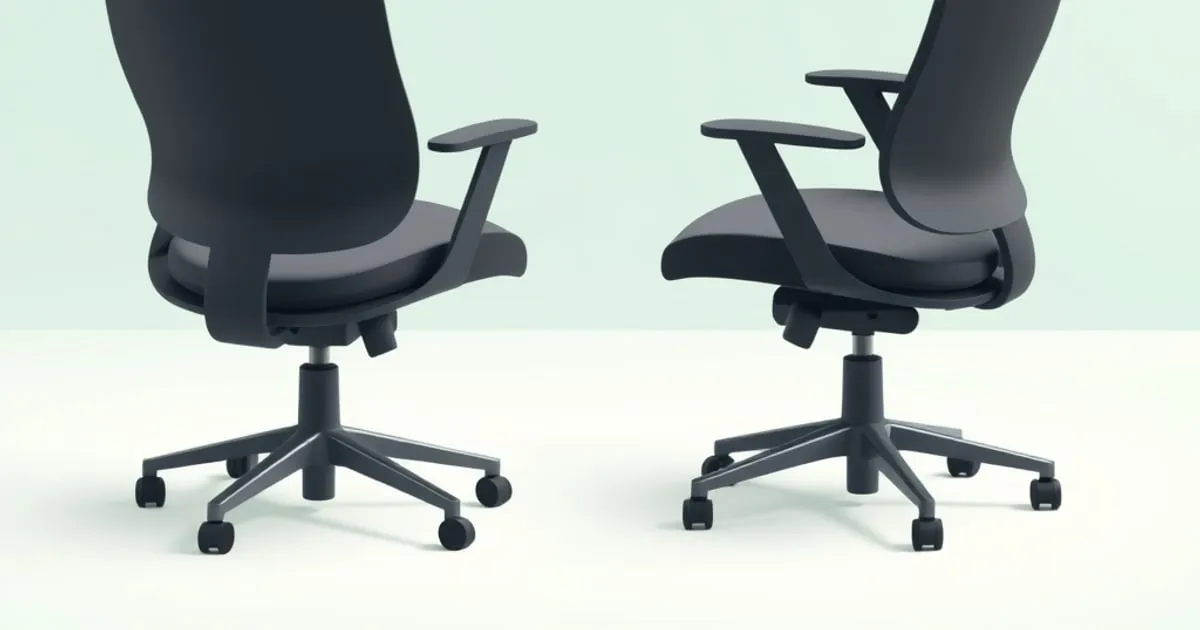
Finding the best ergonomic chair for long hours starts with three documented features: seat depth, lumbar controls and recline adjustment. Compare each chair’s published adjustment range with the measurements you need. If your budget stops short of these three, start from the best ergonomic chairs under $1,000.
For the workstation setup sequence, including supported feet and lumbar placement, use the neutral-posture workstation checklist. This page compares chair-shopping specifications.
Who This Is For
Before specs matter, body size and pain pattern determine which category of chair you need:
- Shorter users (under 5’5”): prioritize a low seat height floor — many chairs bottom out at 17”–18”, which keeps feet dangling for shorter sitters
- Taller users (over 6’1”): seat depth range matters most; a fixed-depth seat that’s too shallow leaves the thigh unsupported and shifts load onto the lower back
- Lumbar pain, existing: adjustable lumbar depth (in-and-out, not just height) changes the game — height-only adjustment is better than nothing but often leaves the pad floating off your curve
- Long workdays: compare seat material, adjustment controls and warranty coverage. Those specifications do not establish a comfort or durability ranking.
Specs That Matter: Three Chairs Compared
| Spec | Herman Miller Aeron (Size B) | Steelcase Leap v2 | Branch Ergonomic Chair |
|---|---|---|---|
| Seat height range | 14.8”–22.8” (37.6–57.9 cm) | 16”–20.5” (40.6–52.1 cm) | 17”–21” (43.2–53.3 cm) |
| Seat depth | 17” fixed (pick size at purchase) | 15.75”–18.75” (3” range) | ~4” adjustable range |
| Overall chair width | 28.3” (71.9 cm) | 27” (68.6 cm) | Not published |
| Lumbar adjustability | PostureFit SL engagement control; separate lumbar option adjusts vertically | 5.25”–10.25” height from seat + firmness dial | Height-adjustable pad |
| Recline | Harmonic 2 Tilt with lockout | 96°–120° with four stop settings | Adjustable tilt tension |
| Weight capacity | Not published on spec sheet | 400 lbs | 275 lbs |
| Warranty | 12-year, 3-shift | 12-year, multi-shift | 7-year |
One caution on reading that width row: it is overall chair width, measured across the frame and arms, for both the Aeron and the Leap. Herman Miller does not publish a seat-pan width for the Aeron at all, and Steelcase’s separately published Leap seat width is 19.25” (48.9 cm) — so a 28.3”-versus-19.25” comparison you may see elsewhere is comparing a whole chair against one seat pan. Use overall width for desk-clearance planning and seat depth for fit.
The Aeron’s seat depth is fixed per size, so choose the size at purchase rather than expecting to adjust it afterward. The Leap’s 3” seat depth range covers a wider spread of users in a single unit, which matters for shared workstations or users whose needs may change. Branch gives adjustable depth at significantly lower cost, but the 275 lb weight limit is a hard constraint to check before purchase.
PostureFit SL vs. height-adjustable lumbar: The Aeron offers different back-support options. PostureFit SL has independently flexing sacral and lumbar pads with one engagement adjustment, not separate pad-position controls or a vertical height slider. The separate lumbar-support option adjusts vertically. Check which option is included. The Leap combines height-adjustable lumbar support with a lower-back firmness control.
Adjustability That Actually Affects Pain
Not every adjustment on a chair spec sheet affects pain equally. These four move the needle:
Seat depth (seat-pan depth): the single most undertested spec. Too short = thigh unsupported, weight transferred to tailbone. Too long = edge cuts into the back of the knee, reducing circulation. The Leap’s 3” range and Branch’s 4” range cover this; the Aeron requires sizing correctly.
Lumbar height: the pad must sit in your lumbar curve, not your mid-back. If the range isn’t enough to reach your curve — common for shorter torsos — a separate lumbar roll is cheaper than a new chair.
Armrest height: elbows at 90–110°, shoulders not raised. Armrests set too high shift tension into the upper trapezius; most people blame their neck. Armrests that force the arms out to the sides add lateral shoulder load. Where armrests alone are not enough, see wrist and forearm support options compared. All three chairs reviewed here offer at least 3D armrests; Branch lists 3D adjustability.
Recline tension: a recline you can’t move because tension is set too stiff keeps you locked upright for hours; one set too loose makes you feel unstable. The Leap’s 96°–120° range with four lockout positions gives the most control.
Warranty and Service Checks
The cited specifications do not establish which component fails first or a typical cylinder lifespan. They also do not show that mesh lasts longer than foam. Compare documented coverage and service terms instead of predicting replacement dates.
The comparison lists 12-year coverage for the Aeron and Leap and seven years for the Branch. Confirm the terms for the configuration, seller and use pattern you are considering. Check which components are covered and whether labor, shipping or normal wear are excluded.
Before replacing a cylinder, caster or support mechanism, confirm the exact compatible part with the manufacturer. A warranty period is a coverage term, not a measured service life.
Setup Before You Judge the Chair
The most common reason a good chair feels bad is incorrect setup. Before attributing discomfort to the chair, verify:
- Seat height first: shoes on, feet flat, thighs level or very slightly pitched downward toward the knees. If the seat can’t go low enough, a footrest solves it for $20–40.
- Seat depth second: slide the pan until there are 2–4 fingers of clearance between the front edge and the back of your knee.
- Lumbar position: find the inward curve of your lower back by feel while sitting upright, then position the lumbar pad at that height. The full method, plus what to do when the chair has no height adjustment, is in lumbar support office chairs.
- Monitor height: no chair corrects forward-head posture from a monitor placed too low. Top of screen at or slightly below eye level at 20–28 inches from the face. Getting there without a stack of books is what monitor arms versus monitor stands is about. People who spend full days in front of a screen are the highest daily sitting-hours group, and this is the step they routinely skip.
After 90 minutes in a correctly configured chair, do the tension check: neck and upper trapezius usually means monitor height, not chair. Mid-lumbar ache after setup means the lumbar position is off, or depth adjustment is needed. Hip flexor tightness is almost always about movement frequency — two minutes of walking per hour reduces cumulative hip flexor load more than any chair spec.
Compared To
Aeron vs. Leap: compare the Aeron’s fixed seat sizes and back-support options with the Leap’s sliding seat and lumbar controls. The Aeron vs Steelcase Leap adjustment comparison explains the configuration differences before you choose.
Leap vs. Branch: the Leap covers heavier users (400 vs. 275 lb), has a longer warranty, and offers the LiveBack flex mechanism. Branch is the practical choice for knowledge workers who want documented seat, arm and lumbar adjustments without the premium price point, and whose work environments don’t justify a $1,000+ chair.
Related Reading
- Best ergonomic office chair for back pain — the same specs, filtered for an existing back complaint.
- Lumbar support office chairs — the five support mechanisms and how to spot them in a listing.
- Ergonomic setup calculator — your seat, desk, and monitor heights before you judge any chair.
Related across the network
- Office Chair Keeps Sinking: Gas Cylinder Fixes — ergochairguide.com
- Ergonomic Chair vs Gaming Chair: The Real Differences — ergochairguide.com


