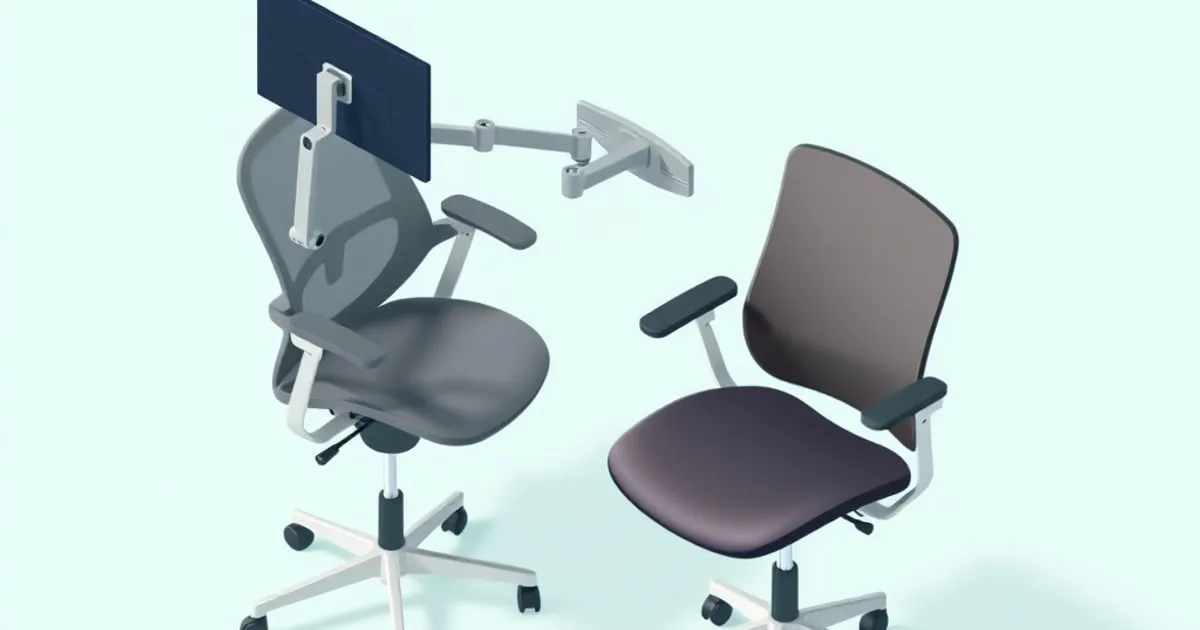
The Herman Miller Aeron vs Steelcase Leap V2 decision occupies a specific bracket: both chairs cost $1,200–$1,800 new, carry 12-year warranties, and show up on every “best ergonomic chair” list. Neither is universally better. The right choice depends on your body dimensions, pain pattern, and how you actually sit through a workday. This breakdown focuses on the specs that affect long-session comfort and skips the brand mythology. If you are starting from the pain rather than from these two models, the wider spec checklist is in best ergonomic office chair for back pain.
If your pain is persistent or affects function, see a clinician before buying a chair — no chair adjustment substitutes for a diagnosis.
Who Each Chair Is For
Aeron: Consider it if you want a suspension seat and can choose a suitable fixed size. The chair comes in sizes A, B and C, and seat depth is not adjustable within a size. Size B fits roughly 5’3”–6’1” at 125–275 lbs. Size C handles larger frames up to 350 lbs. If you are between sizes, seat fit can be a problem.
Leap V2: Consider it if a sliding seat is important to fit. Its seat depth adjusts through a 3-inch range, while the Aeron requires choosing a fixed size. Compare the back-support controls as well; neither specification establishes which chair will reduce a particular person’s pain.
Compare the actual adjustment options rather than a shared ergonomic label. The Aeron’s fully adjustable arms offer height, angle and depth adjustment. Its PostureFit SL engagement control differs from its separate height-adjustable lumbar option. The Leap offers height-adjustable lumbar support and armrest height, width, depth and pivot controls.
Specs That Matter
| Spec | Aeron (Size B) | Leap V2 |
|---|---|---|
| Seat height range | ~16”–20.5” (41–52 cm) | ~15.5”–20.5” (39–52 cm) |
| Seat depth | 17” fixed | 15.75”–18.75” (3” adjustable) |
| Lumbar type | PostureFit SL: independently flexing pads, shared engagement control; separate height-adjustable lumbar option | LiveBack + height-adj. lumbar: 5.25”–10.25” from seat; firmness dial |
| Armrests | Fully adjustable option: height, angle and depth | 4D (height, width, depth, pivot) |
| Recline mechanism | Harmonic 2 Tilt, tilt limiter, forward tilt | Natural Glide System, 4 recline stop angles + upright lock |
| Back material | 8Z Pellicle mesh (full mesh back and seat) | Fabric over flexible plastic frame |
| Weight capacity | 350 lbs (Size B/C) | 400 lbs (Leap Plus: 500 lbs) |
| Warranty | 12 years, 3-shift | 12 years, multi-shift |
| Approximate new price | ~$1,500–$1,800 | ~$1,200–$1,500 |
Specs sourced directly from Herman Miller’s Aeron spec sheet and the Steelcase Leap product page.
Lumbar Support: Two Different Approaches
The Aeron’s PostureFit SL uses two independently flexing pads, one for sacral support and one for the lumbar curve. One control adjusts engagement; the pads do not have separate positioning controls. The separate lumbar-support option adjusts vertically. Choose the configuration whose documented controls match your requirements.
The Leap V2 uses Steelcase’s LiveBack technology: the backrest is split into upper and lower sections that flex independently as you move. When you recline, the lower section curves outward to track your lumbar spine rather than pulling away from it. A separate height dial (adjustable from 5.25” to 10.25” above the seat surface) positions the support band. A firmness dial controls how much the lower back section pushes against you.
The practical comparison is between adjustment mechanisms: the Leap’s height and firmness controls, PostureFit SL’s engagement control, and the Aeron’s separate vertically adjustable lumbar option. For the wider set of mechanisms, see lumbar support office chairs.
Seat Depth and Sizing
OSHA’s computer workstation guidelines specify that seat depth should support most of the thigh without the front edge contacting the back of the knee — a waterfall edge design addresses this, but depth adjustability gives you more room to fit different leg lengths.
The Aeron’s seat depth is fixed per size: 16” on size A, 17” on size B, 18.5” on size C. Users with long femurs relative to their height may find the B seat either cuts into the back of the knees or forces them to sit forward and lose lumbar contact. There is no workaround within a given size.
The Leap V2’s seat slides forward and back through roughly 3 inches. That range covers most of the variation that falls between Aeron sizes without requiring you to size up or down the entire chair.
Seat and Back Materials
The Aeron’s published specification identifies 8Z Pellicle suspension material on its seat and back. The Leap uses an upholstered seat and a flexible back structure; upholstery choices depend on configuration.
These construction differences are useful shopping criteria, but the cited specifications do not establish comparative seat temperature, pressure distribution or comfort over a multi-hour session. Compare the materials and return terms without treating mesh as a guaranteed comfort advantage.
Recline Mechanics
The Leap’s Natural Glide System is the most underappreciated engineering difference between these two chairs. When you recline, the seat pan slides slightly forward — keeping your pelvis in neutral and maintaining the same contact point between your lumbar spine and the backrest. Conventional pivot-based reclines rotate you around a fixed axis, which can shift lumbar support contact and let the lower back pull away from the pad.
The Aeron’s Harmonic 2 Tilt counterbalances recline against body weight, which reduces the need to manually set tilt tension for each user. It also includes a forward tilt option that angles the seat pan downward — useful for leaning into a keyboard or for users with tight hip flexors. The Aeron’s forward tilt is rarely mentioned but affects neutral pelvis positioning for users who spend most of their time leaning slightly forward.
Refurbished Market
Both chairs have established refurbished markets through certified dealers. Refurbished Aerons from dealers typically run $400–$800 depending on condition, size, and options. Refurbished Leap V2 units run in a similar range.
When buying used, ask about the condition of the seat material, back support and adjustment controls, and which parts were replaced. The cited specifications do not establish that Aeron mesh wears more slowly than Leap upholstery under comparable use. Compare the seller’s condition report and warranty.
Compared To
Branch Ergonomic Chair ($369): The standard chair has three-way adjustable armrests, height-adjustable lumbar support, seat-depth adjustment and a 275 lb capacity. Compare these documented controls and the final configuration price with the two premium chairs; the specifications do not establish comparative comfort by daily sitting time.
Humanscale Freedom (~$1,400): Self-weighting recline mechanism that adjusts tilt tension automatically based on body weight. Worth considering for committed recliners who do not want to set tilt tension manually. The lumbar is passive/self-adjusting rather than user-set, which makes it less suitable for users with specific lumbar requirements.
Both alternatives sit inside wider price brackets worth reading before committing to either flagship: the sub-$1,000 field is ranked in best ergonomic chairs under $1,000, and the cheapest chairs that still carry real adjustment are in best budget ergonomic chair. Seating biomechanics across a wider set of brands is covered by our sister site ErgoChairGuide.
The Decision
Consider the Aeron if you want a suspension seat and can choose a suitable fixed size. Confirm whether the configuration includes PostureFit SL or the separate height-adjustable lumbar option, along with the armrest adjustments you need.
Consider the Leap V2 if you need sliding seat-depth adjustment, height-adjustable lumbar support and a separate lower-back firmness control. Its Natural Glide mechanism is another configuration feature to compare; the cited specifications do not prove clinical or comfort superiority.
Both are 12-year warranted chairs with legitimate adjustability. Neither fixes a clinical diagnosis. If your pain is affecting daily function, see a clinician before spending $1,500 on a chair.
Related across the network
- Best Ergonomic Office Chair for Lower Back Pain: Spec Guide — homedeskguide.com
- Building a Desk-and-Chair Combo Around Your Room, Not a Price Tag — homedeskguide.com
- Herman Miller Flo Plus vs Humanscale M2.1 vs Ergotron LX — monitorarmguide.com


