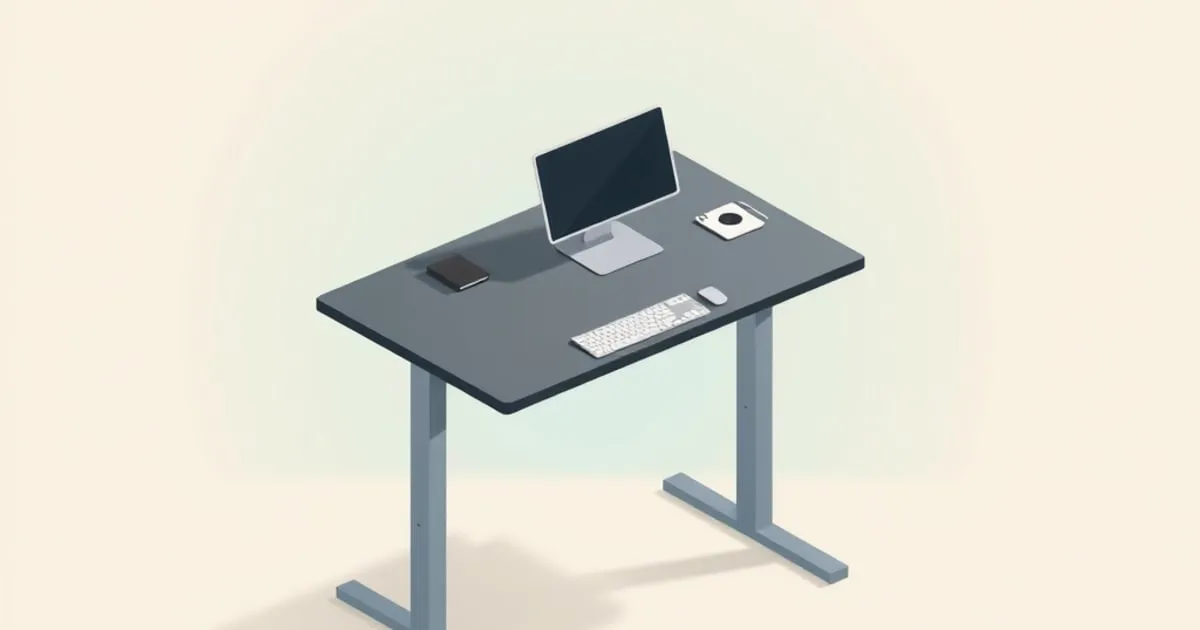
Verdict for this uplift v2 standing desk review: the V2 remains a capable 355-pound-capacity desk, but Uplift now sells it only while supplies last. Buy one if you are very tall (roughly over 6’4”) and need its 50-inch ceiling, or if it is clearly cheaper than the V3. Everyone else should buy the V3 instead.
Uplift’s L-shaped frame page states that the V2 and V2-Commercial frames “remain available while supplies last,” and the old V2 product address now opens the V3 configurator, starting at $599. Uplift’s September 2025 launch post says the V3 “perfects” the V2 rather than replacing it. For a buyer today, the V2 is the previous generation either way.
The evidence below comes from Uplift’s own pages, Tom’s Guide’s 2022 Uplift V2 review, and two measured write-ups from BTOD, an office-furniture retailer that sells the competing VertDesk. Weigh BTOD’s stability verdicts with that in mind. Its speed and noise figures are still useful, because Uplift’s numbers are listed, not measured.
Who should still buy the Uplift V2?
Tall users are the V2’s real audience. Its finished maximum lands around 50 to 51 inches, 1.4 to 2.2 inches above the V3 and V2-Commercial, which both stop at 48.7 inches. Using the starting ranges in our elbow-height guide, 48.7 inches covers standing users to about 6’4”. Above that, the V2’s extra headroom is the main case for it.
The trade-off is at the bottom. Tom’s Guide listed the V2 at 25.3 to 50.9 inches (64.3 to 129.3 cm). BIFMA G1-2013 recommended 22.5 to 48.7 inches to cover the 5th to 95th percentile of users, so the V2 gives up nearly three inches at the low end. If your seated elbow height measures below about 25.3 inches, the desk cannot come down to it. You end up raising the chair and adding a footrest from our footrest and mat rankings. Check thigh room at the low setting too: OSHA’s workstation eTool calls for height-adjustable desks and 20 to 28 inches (50 to 72 cm) of leg clearance under the desktop.
The desk suits full-time desk workers who will actually alternate positions. A Cochrane review of workplace sitting interventions found sit-stand desks cut workplace sitting by 84 to 116 minutes a day in the short term, rated that evidence low quality, and expected the effect to fade over time. If you are buying to fix back or neck pain, get a diagnosis from a clinician first. A desk changes your posture options; it does not treat the condition.
Uplift V2 specs that matter
| Spec | Uplift V2 | V2-Commercial | V3 (current) |
|---|---|---|---|
| Height range, as Uplift lists it | 24.5–50.1 in (62.2–127.3 cm) | 22.6–48.7 in (57.4–123.7 cm) | 22.6–48.7 in (57.4–123.7 cm) |
| Range reported by reviewers | 25.3–50.9 in (Tom’s Guide) | 22.6–48.7 in with top (BTOD) | — |
| Lift capacity | 355 lb (161 kg) | 355 lb (161 kg) | 355 lb (161 kg) |
| Lift speed | 1.41 in/s listed; about 1.33 in/s measured | 1.35 in/s measured | 2 in/s listed |
| Noise while moving | Not measured; “slight hum” per Tom’s Guide | 55–57 dB measured | Under 48 dB listed |
| Lower crossbar | No | Yes | No |
| Frame warranty | 15 years (BTOD) | 15 years (BTOD) | 15 years on everything (Uplift) |
| Standing fit, per our elbow table | Beyond 6’4” | To about 6’4” | To about 6’4” |
Measured figures come from BTOD’s V2 comparison and V2-Commercial review. V3 figures come from the V3 product page, which also states ANSI/BIFMA X5.5-2021 structural and G1-2013 ergonomic compliance, and from Uplift’s launch post.
V2 height numbers disagree by source. Uplift’s current page says 24.5 to 50.1 inches, BTOD lists 24.5 to 50 inches for the base alone, and Tom’s Guide lists 25.3 to 50.9. Add your desktop’s thickness to any frame-only figure and compare the result with your own elbow measurement, not the marketing range.
Capacity deserves a second look as well. BTOD reports that the frame’s motor supplier, JieCang, rates the base at 1000N (about 225 lb) in its own brochure, against Uplift’s 355-lb figure. BTOD’s loaded V2 still lifted more than 380 lb, slowing to about 1.26 in/s. For a laminate top and two monitors the gap is probably academic; for a solid-wood top, a heavy tower and a printer, add up the weights first.
Adjustability and setup: where the friction is
Presets decide whether you will actually stand. Tom’s Guide found the base V2 shipped with a basic up/down keypad, with a programmable keypad and height display costing $29 more. Without presets you hold a button for the whole trip. At BTOD’s measured 1.33 inches per second, a 16-inch move from a 29-inch sitting height to a 45-inch standing height takes about 12 seconds; at the V3’s listed 2 inches per second, about 8. Small frictions like that are how a sit-stand desk ends up parked at sitting height.
The build is not hard, but it is not quick either. Tom’s Guide called it slower and slightly more complicated than the Vari desk it compared against, BTOD notes the feet arrive unattached, and the V2-Commercial’s crossbar adds more steps.
BTOD lists the V2 frame’s width adjustment at 42.25 to 70 inches. If you are pairing an old frame with a new desktop, confirm the supported top sizes with Uplift before ordering.
Collision handling also changed between generations. BTOD says the V2 includes anti-collision but no overload protection. The V3 adds a 6-axis accelerometer with adjustable sensitivity, according to Uplift. If a filing cabinet, chair arm or window sill sits under the desk’s travel path, that matters more than lift speed.
Long-session feel: stability at standing height
Over a full workday, the question is not the 12-second lift. It is whether your monitor shakes while you type at standing height. Tom’s Guide reported that “at its maximum height, the Uplift was as stable as our other top picks.” BTOD was less generous, rating its own VertDesk v3 “a more stable option at all heights” and stressing that frame hardware must be fully tightened for any desk to stay stable when extended.
The V2-Commercial is where the sources agree. BTOD said it was the first of more than 25 desks in its reviews to match the VertDesk v3 for stability, with only “fair” front-to-back stability at 46 inches and above. The crossbar is the difference.
That leaves the V2 with an awkward tension. Its advantage is height, and tall users run any two-leg frame near the top of its travel, which is where frames without a crossbar rock most. If you buy one, clamp a monitor arm close to a leg where your desktop allows, and re-tighten the frame bolts after the first few weeks.
Standing for long blocks has its own costs. If your legs ache rather than your shoulders, look at flooring and footwear before blaming the desk. Use our neutral posture checklist to set keyboard and monitor heights separately for sitting and standing.
Wear and warranty: what fails first
On a frame like this, loose hardware usually shows up first, as growing wobble, well before a motor quits. BTOD’s V2-Commercial review names the electronics and gear system as its longer-term concerns with JieCang-built frames. It also notes the Commercial’s top glides were replaced with a plastic cover that it expects to wear sooner.
The warranty is long but has conditions. Uplift’s warranty page promises 15 years “on nearly every product we sell,” but Uplift pays warranty shipping only for claims in the first year, and only within the contiguous U.S. After that, you pay to ship parts. Confirm desktop coverage on a V2 invoice: BTOD’s V2 write-up lists five years for desktops, while the V3 page says 15 years on everything, extendable to 25. Uplift’s summary page does not set out transfer terms, so price a used V2 as if no warranty comes with it. Before buying old stock, ask Uplift whether V2 control boxes and keypads are still stocked.
Uplift V2 vs V3 vs V2-Commercial
Uplift V3 wins for most buyers. It reaches 22.6 inches at the bottom, lists a 2 in/s lift and under 48 dB of noise, states BIFMA X5.5 and G1 compliance, and Uplift claims a single-tool frame build. Its only drawbacks against the V2 are price, if you find old stock discounted, and the top inch and a half to two inches of travel.
V2-Commercial wins on rigidity. The crossbar is why BTOD rated it far steadier than the standard V2, and it shares the V3’s listed range. It cost about $200 more than the V2 when BTOD reviewed it, measured 55–57 dB in motion, and is also remaining stock.
Uplift V2 wins in two cases only: you need a standing height above 48.7 inches, or you find it at a real discount. If neither applies, compare the V3 against the alternatives in our standing desks under $1,000 roundup, or drop a tier with standing desks under $500 if the budget is tighter.
FAQ
is the uplift v2 discontinued
Effectively yes: Uplift says the V2 and V2-Commercial frames remain available only while supplies last, and its old V2 product address now opens the V3 configurator. Uplift’s own launch post describes the V3 as building on the V2. Treat any V2 you find as remaining stock and confirm warranty terms before paying.
how much weight can the uplift v2 hold
The Uplift V2 is rated to lift 355 pounds (161 kg), the same figure Uplift gives the V2-Commercial and V3. BTOD’s loaded test moved more than 380 pounds, though BTOD says the motor supplier’s brochure rates the base lower, at 1000N. Heavy solid-wood tops and multi-monitor rigs are where that gap is worth checking.
is the uplift v2 commercial better than the regular v2
For most people, yes: the V2-Commercial adds a lower crossbar that BTOD found made it far steadier, and its 22.6- to 48.7-inch range reaches lower for seated work. The standard V2 keeps up to about two more inches of top height. BTOD put the Commercial at roughly $200 more, and both are now old stock.
how long does it take to assemble an uplift v2
Plan on about 30 minutes for a standard V2, which is how long Tom’s Guide’s reviewer needed. Have a second person on hand for flipping the finished desk upright, and add time for the V2-Commercial’s crossbar; BTOD suggests a cordless drill. Uplift says the V3 frame assembles with one tool in as little as five minutes.
Related across the network
- Standing Desk Measurements: Height, Width, Depth, Legroom — homedeskguide.com
- Standing Desk Buying Guide for Beginners: How to Choose — standdeskreview.com


